Why the study lifecycle framework is your AI roadmap
We’ve theorized, ideated, and speculated about AI in the abstract, but the question is no longer whether it belongs in research. It’s where AI adds value, and where it could undermine your work.
In our recent Use of AI Tools in Daily Research & ReOps Work webinar, Google UXR Director Pete Fleming highlighted where AI makes the biggest impact—and where human expertise must remain central across every stage, from planning through analysis.
We want AI to help us do the parts of our job we don’t like—but more importantly, it should help us do more of the good parts. Pete FlemingHead of UX Research @ YouTube
 Using the study lifecycle as a framework evaluates where AI can empower—or derail—your research practice.
Missed the live session? The webinar recap is available:
Applying AI with a new framework in your UXR + ReOps workflows
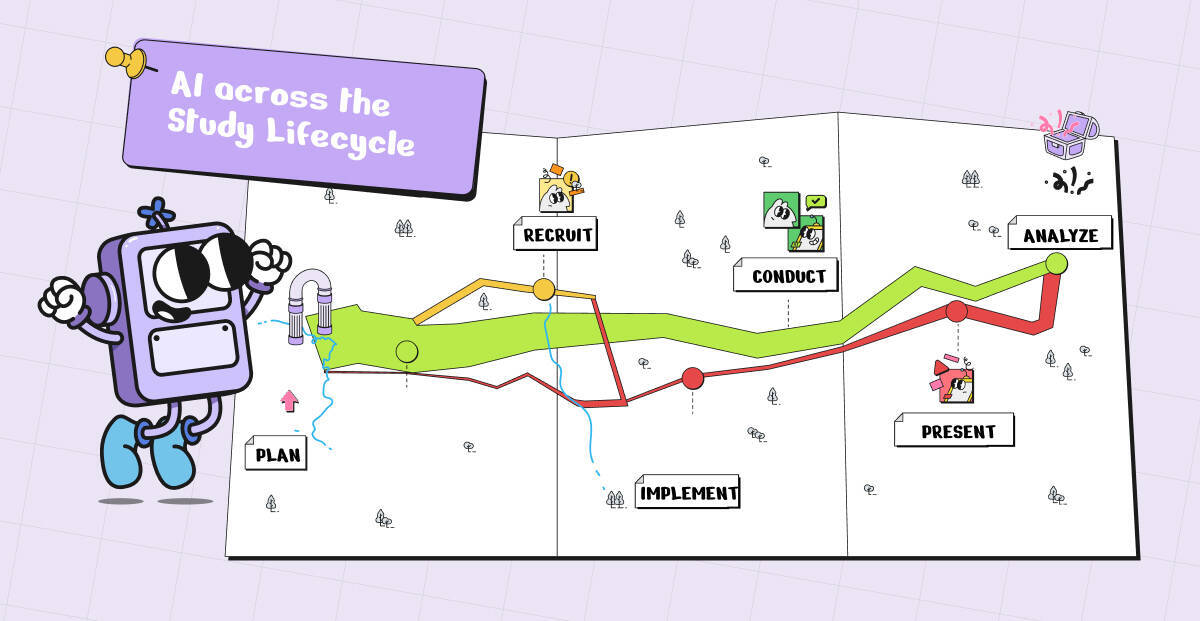
In today’s blog, we compare the study lifecycle framework to Charles Minard’s iconic map—a metaphor for tracking loss, progress, and strategy in complex systems (even if it’s a bit of a stretch).
This framework helps teams:
Identify phases where AI can accelerate workflows (like automating participant recruitment or data synthesis)
Recognize critical points needing human judgment and ethical oversight (like consent and analysis interpretation)
Adopt AI iteratively and strategically, seeing adoption as a journey requiring ongoing attention, course correction, and iterative improvement
Visualizing workflows and tools in this framework helps teams design strategic, iterative AI adoption, avoid blind spots, and continuously optimize for impact.
Who is Charles Minard, and what does 1869 have to do with AI?
Charles Minard, a French civil engineer and pioneer in data visualization, translated complex stories into clear, visual maps. His most famous work, Napoléon’s March (1869), illustrates the French army’s advance and retreat during the 1812 Russian campaign.
It’s a masterclass in storytelling through data: the map tracks army size, path, and dramatic losses across Russia, revealing progress, setbacks, and critical moments in a complex system.
Just as Minard’s map reveals where the army struggled or succeeded, mapping AI across each phase of research guages where AI adds value, and where it could undermine your work.
Mapping AI across the study lifecycle
Thinking of AI integration as a dynamic map—not a one-time solution—helps teams navigate complexity, drive impact, and stay rooted in human-centered design.
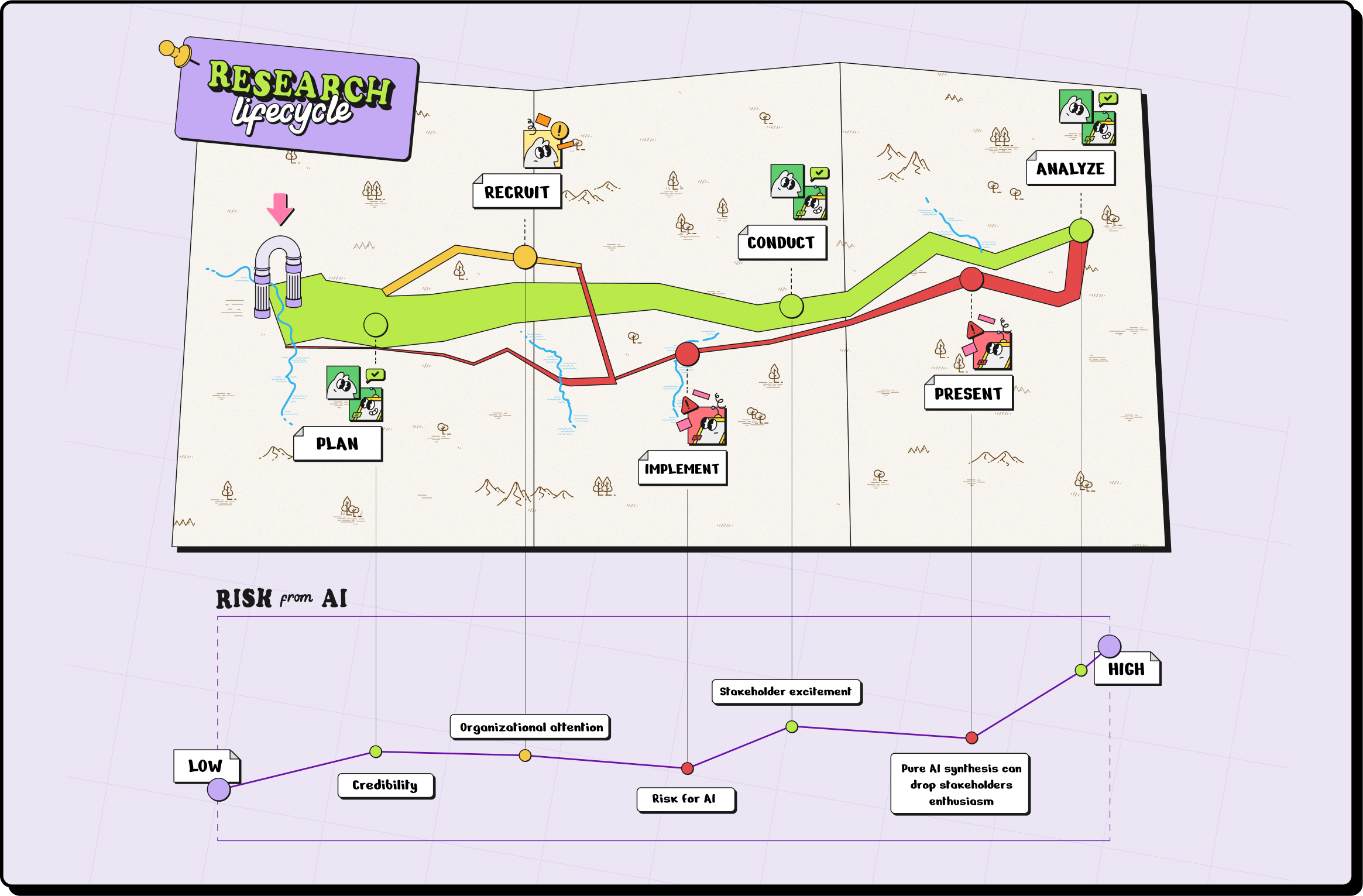
From left to right, our “AI map” illustrates:
The cyclical nature of research
Studies repeat, and AI adoption should evolve accordingly.
The pitfalls and risks
Each stage has unique challenges with AI.
The benefits
Opportunities for AI to augment workflows.
The extra data
This layer is a more qualitative, speculative, and conceptual assessment gauging stakeholder sentiment across your research lifecycle. Like Minard’s map captures troop morale and even temperature, AI adoption affects team confidence, participant trust, and leadership buy-in at every stage.
The core phases of UX research studies
While every research team works differently, most studies flow through these six core phases:
Planning: Defining goals, research questions, and methodology.
Intake & Recruitment: Finding and selecting participants.
Conducting: Doing live research
Execution (Data Collection): Gathering qualitative or quantitative data.
Analysis & Synthesis: Making sense of data and identifying insights.
Presentation & Impact: Sharing findings and driving decisions.
Mapping AI capabilities to each phase reveals opportunities and trade-offs: some stages are prime for augmentation, while others demand strict governance and human judgment to maintain quality and ethics.
Pro tip:
When integrating AI into intake or recruitment workflows, choose privacy-first platforms, like Ethnio, which meet enterprise security standards (SOC 2, GDPR/CCPA, HIPAA) and prioritize participant consent.
Let’s explore each phase—its AI applications, pros, cons, risks, and common uses—and see where it lands on our map:
Phase 1️⃣ Study planning → low risk, high reward
Early-stage planning consumes the most headspace but carries minimal risk. Here, AI is your research assistant: drafting hypotheses, generating question variants, and validating study designs.
📍 On the map: Safe terrain, easy wins.
AI Applications
Brainstorm research questions using AI to ensure clarity and reduce bias
Generate multiple survey or interview question variants for testing
Predict optimal study design and methodology based on past research data
Pros
Accelerates study preparation
Reduces oversight of question design
Supports hypothesis validation with prior data
Cons
Over-reliance may limit creative, human-driven framing
AI suggestions require careful review to avoid subtle bias
Risks
Inaccurate AI assumptions could skew study objectives
Ethical concerns if AI-trained on non-representative datasets
Common Uses
Drafting initial research plans and surveys
Generating research hypotheses for new features or products
Phase 2️⃣ Intake & recruitment → medium risk, high reward
No participants, no research. Recruitment is high reward—but higher risk when AI handles sensitive data.
AI shines in screening, scheduling, and outreach, especially across geographies.
📍 On the map: Rich territory, but mind the landmines.
AI Applications
Automate participant screening and demographic/psychographic filtering
Sync participant calendars and schedule sessions
Manage outreach and reminders, including incentive distribution
Pros
Speeds up recruitment and administrative tasks
Reduces human error in logistics and documentation
Scales participant engagement across geographies
Cons
Participants may respond differently to AI vs. humans, requiring calibration
Over-reliance could miss subtle qualitative cues in screening
Risks
Data privacy and compliance issues (GDPR, CCPA)
Candidate selection bias if AI filters aren’t audited
Common Uses
Recruiting hundreds of participants for multi-country studies
Automating survey distribution and follow-ups
Streamlining scheduling and consent form workflows
Phase 3️⃣ Conducting research → medium risk, medium reward
Live sessions are human-centric. AI can transcribe, take notes, and suggest prompts, but cannot replace empathy.
📍 On the map: A narrow pass—helpful guides, but easy to stumble.
AI Applications
AI-assisted interviews and chatbots for structured questioning
Real-time transcription and automated note-taking
Adaptive follow-up questions based on participant responses
Pros
Enables higher consistency in interviews
Frees researchers to focus on nuanced observations
Improves accuracy and speed of qualitative data capture
Cons
Machines may not pick up subtle non-verbal cues
Participants may interact differently with AI vs. humans
Risks
Over-reliance on AI may reduce empathy-driven insights
Errors in transcription or automated interpretation may distort data
Common Uses
Conducting live interviews or diary studies
Generating time-stamped notes and summaries automatically
Capturing data from participants across multiple languages
Phase 4️⃣ execution + data collection → medium–high risk, high reward
Collecting data across platforms can be messy and time-consuming. While these tools can assist in scaling studies or serve as training aids for new moderators, they cannot replace the empathy and nuance of real participant interactions.
📍 On the map: Fertile ground, but prone to quicksand.
AI Applications
Aggregate data from surveys, focus groups, analytics, and social media
Detect anomalies, trends, or outliers in real-time
Automate sentiment and attention analysis (NLP and CV)
Pros
Processes large datasets faster than humans
Identifies patterns that may otherwise be missed
Supports scalable multi-channel research
Cons
AI may misinterpret complex human behavior without context
Over-reliance can obscure nuances in qualitative data
Risks
Biased or incomplete input data can produce false insights
Ethical considerations when tracking user behavior automatically
Common Uses
Monitoring user behavior across digital platforms
Generating real-time dashboards for stakeholder review
Automating coding and aggregation of qualitative feedback
Phase 5️⃣Analysis & synthesis → medium risk, medium reward
Turning data into insights is the hardest part, and no one wants to miss trends hidden in large datasets. It’s important to stay close to raw data to catch errors and understand context. Overreliance on AI summaries can reinforce bias or lose nuance.
📍 On the map: Useful shortcuts, but risky to rely on solely.
AI Applications
Pattern recognition to identify pain points and behavioral trends
Generate executive-ready visualizations and summaries
Predictive analysis for forecasting user behavior
Pros
Speeds up insight generation
Reduces manual coding and repetitive analysis
Highlights trends across large, multi-channel datasets
Cons
May miss contextual subtleties without human review
Over-reliance could introduce confirmation bias
Risks
Algorithmic bias in pattern recognition
Misleading conclusions if datasets are incomplete
Common Uses
Detecting UX friction points
Synthesizing cross-channel user feedback
Creating reports for product or design teams
Phase 6️⃣ Presentation & driving impact → medium risk, underrated opportunity
Sharing research insights is only as valuable as the decisions it drives. This stage is an underrated opportunity for AI to add value, not by replacing researchers, but by amplifying their influence and impact.
📍 On the map: Hidden treasure—safe if guided by human expertise.
AI Applications
NLG tools to produce accessible reports and summaries
Visualizations that adapt to stakeholder needs
Recommend prioritization of actionable insights
Pros
Reduces time spent preparing presentations
Helps non-technical stakeholders understand complex data
Supports faster decision-making based on actionable insights
Cons
Poorly designed AI-generated reports may misrepresent data
Over-trusting AI recommendations may omit critical human judgment
Risks
Misinterpretation of insights could misguide decisions
Ethical implications if AI-generated findings aren’t verified
Common Uses
Executive-ready dashboards
Automated reporting for research committees
Prioritizing product or design changes based on aggregated data
Best practices for implementation guidelines & guardrails
Six principles to guide responsible AI adoption across the research lifecycle:
Mitigate bias: Use diverse training datasets to ensure inclusive insights.
Prioritize privacy: Anonymize PII and comply with GDPR/CCPA to protect participants.
Validate AI output: Cross-check results with human expertise.
Human oversight: Use AI for low-cognition tasks and grunt work, like automating repetitive tasks, but leave interpretation to humans.
Collaborate cross-functionally: Include AI experts, UX researchers, and ethicists.
Be transparent: Communicate AI’s role in research processes to stakeholders.
How to apply this framework
It’s as simple as these 4 steps:
Map your research lifecycle
For each stage, ask:
What’s the risk level of using AI?
What’s the value add?
What safeguards (PII/IP protection) are needed?
Don’t generalize—use nuance for each task.
Keep humans close to the robots.
Pro tip:
Early stages = best place for efficiency gains.
Later stages = higher risk, higher need for human judgment.
What’s next for AI in UX Research?
There isn’t a classic “Minard analogy” in UX research like there is in data visualization or history—but the metaphor still works (even if it’s a stretch).
The Study Lifecycle framework turns AI adoption into a practical roadmap: automate repetitive tasks, flag where human judgment matters, and pilot AI in one phase before scaling. Like Minard’s map, it reveals complex flows, losses, and progress—helping teams visualize studies, allocate resources, and amplify human expertise with AI as a research assistant.
Realizing these benefits at scale requires the right tools, like Ethnio, enabling teams to operationalize AI responsibly while safeguarding ethics, quality, and impact—and driving customer-centric research at every stage.